.png?width=200&height=200&name=LUSIO%20REHAB%20Original%20(300ppi).png)
- Before you start playing, you need to select a start and an end (or target) position using related buttons on the set positions window:
- If your registered positions expired, this window appears automatically, otherwise, the game lets you play using your previous registered position.
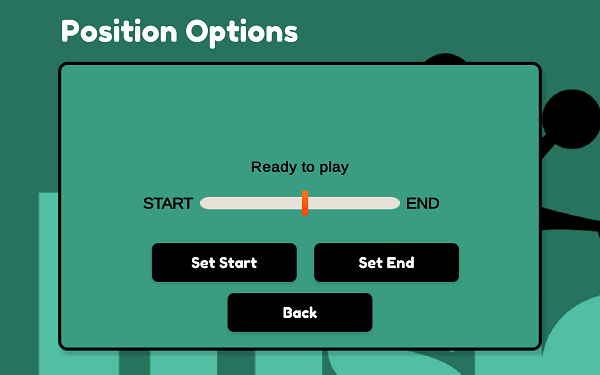

- These positions should be at the start and end of the movement you need to do according to your current prescription gaming™
Take a look at these examples to learn more:
- Example 1
- Game: Basketball
- Placement: Ankle
- Movement: Plantar-Dorsi Flexion
- Example 2
- Game: Hockey
- Placement: Fingers
- Movement: Extension-Flexion

---------------------------------------------------
There are some more examples here - but based on our previous version of the Lusio App! - it worth it to take a look:
- Example 3
- Game: Steel Man
- Placement: Elbow
- Movement: Extension-Flexion

- Example 4
- Game: Egg farm frenzy
- Placement: Knees
- Movement: Extension-Flexion
- (based on an old version of Lusio app)

- Example 5
- Game: Pop Pop
- Placement: Wrist
- Movement: Extension-Flexion
- (based on an old version of Lusio app)